O3DE + ImGui
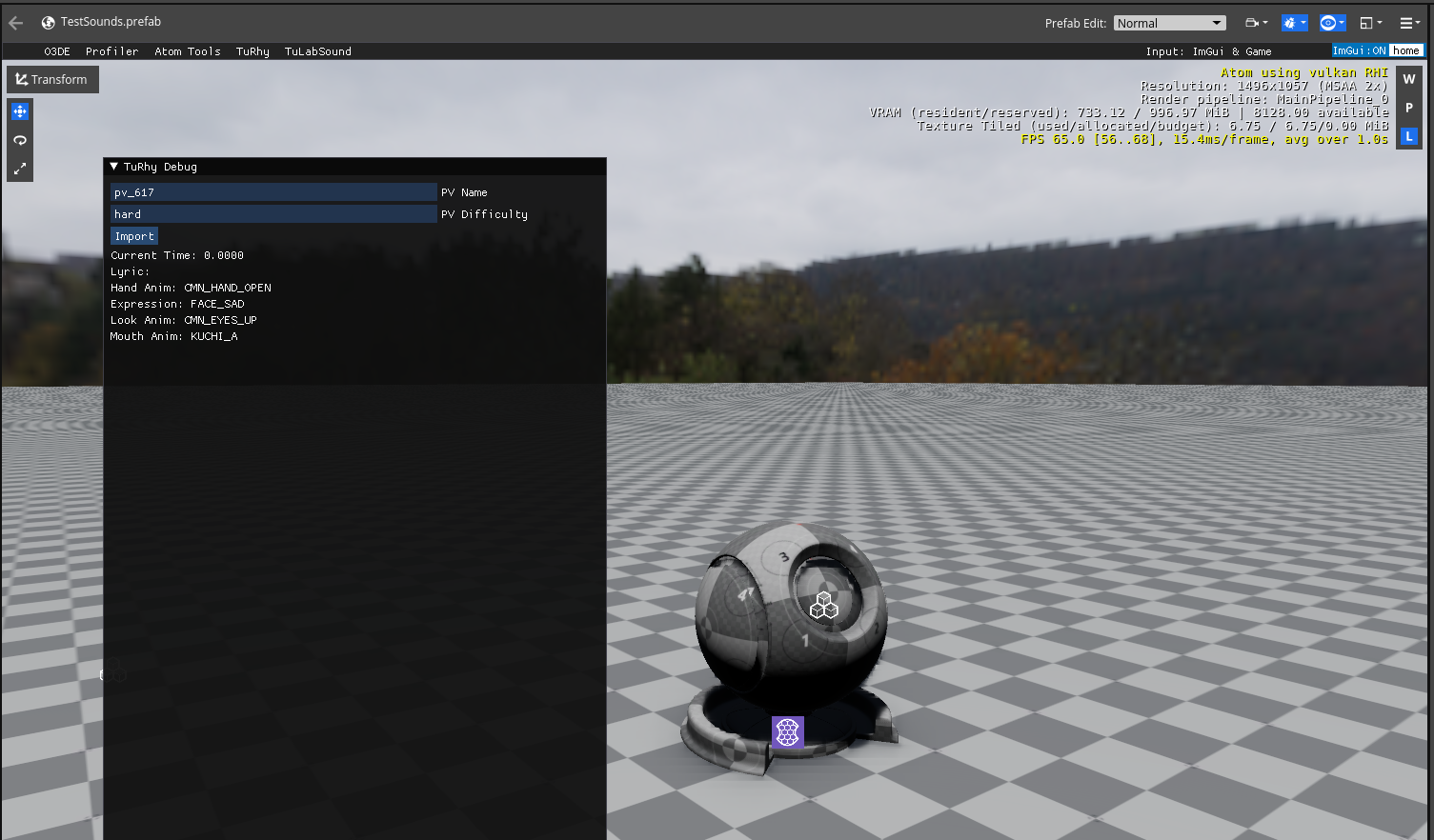
This is a guide to help you get up and running with ImGui in O3DE, this tutorial assumes you understand c++ and EBus enough to create basic components.
Why and where to use ImGui
ImGui is not a replacement for Qt, you can't/shouldn't use it for all your editor tools.
It's a great tool for visualising or tweaking the internal state of objects and that's what we'll be using it for in this tutorial.
Some use-cases:
- Seeing the internals and settings of your character controller component.
- Quick debug menus (spawn enemies, teleport player, toggle cheats like god mode)
- Prototyping tools before building proper Qt panels
- The engine already provides this for you but profiling tools are great for ImGui.
Main reason you shouldn't use ImGui for editor panels is that they don't integrate into the editor well at all and ImGui is hard locked to the render viewport, so its best to use Qt for polished editor tools.
Adding ImGui to your project
You need to add the ImGui gem to your project either by the project manager or manually in your project.json file.
CMake setup
This won't list out everything so don't copy and paste this, just add what isn't there.
ly_add_target(
        NAME ${gem_name}.Private.Object STATIC
        #...
        BUILD_DEPENDENCIES
        PRIVATE
            Gem::ImGui.Static
)

ly_add_target(
        NAME ${gem_name} ${PAL_TRAIT_MONOLITHIC_DRIVEN_MODULE_TYPE}
        #...
        BUILD_DEPENDENCIES
            PUBLIC
                Gem::${gem_name}.Private.Object
                AZ::AzCore
                Gem::ImGui
)
Example Component
Let's take this component as an example, it transforms an entity to the beat.
class RotateOnBeatComponent
    : public AZ::Component
    , public AZ::TickBus::Handler
{
public:
    AZ_COMPONENT(RotateOnBeatComponent, "{CE566C94-89C5}");

    void Activate() override;
    void Deactivate() override;

    void OnTick(float deltaTime, AZ::ScriptTimePoint time) override;

    static void Reflect(AZ::ReflectContext* context);

    static void GetRequiredServices(AZ::ComponentDescriptor::DependencyArrayType& req);
private:
    AZStd::string m_conductorName;
    TuRhy::ConductorId m_conductorId;

    float m_time = 0.0f;
    float m_moveDistance = 4.0f;
    AZ::Vector3 m_basePosition = AZ::Vector3::CreateZero();
};

//.cpp
void RotateOnBeatComponent::Activate()
{
    AZ::TickBus::Handler::BusConnect();

    m_conductorId = TuRhy::ConductorManagerInterface::Get()->GetConductor(m_conductorName);

    AZ::Transform initialTransform = AZ::Transform::CreateIdentity();
    AZ::TransformBus::EventResult(initialTransform, GetEntityId(), &AZ::TransformBus::Events::GetWorldTM);
    m_basePosition = initialTransform.GetTranslation();
}

void RotateOnBeatComponent::Deactivate()
{
    AZ::TickBus::Handler::BusDisconnect();
}

void RotateOnBeatComponent::OnTick(float deltaTime, AZ::ScriptTimePoint time)
{
    float nextBeatNormalised = 0.0f;
    TuRhy::ConductorBus::EventResult(nextBeatNormalised, m_conductorId,
        &TuRhy::ConductorBus::Events::GetNextBeatTimeNormalised);

    //... Uses m_time and m_moveDistance to translate entity

    AZ::TransformBus::Event(GetEntityId(), &AZ::TransformBus::Events::SetWorldTM, newTransform);
}
Using ImGui
Let's say we want to modify m_moveDistance at runtime.
First we need to listen on the ImGuiUpdateListenerBus, this bus will let us know when its okay to issue ImGui functions.
#include <ImGuiBus.h>

class RotateOnBeatComponent
        : public AZ::Component
        , public AZ::TickBus::Handler
        , public ImGui::ImGuiUpdateListenerBus::Handler
        {
        public:
            //...

            void OnImGuiUpdate() override;
        }

//.cpp
#include <imgui/imgui.h>

void RotateOnBeatComponent::Activate()
{
    AZ::TickBus::Handler::BusConnect();
    ImGui::ImGuiUpdateListenerBus::Handler::BusConnect();
    //...
}

void RotateOnBeatComponent::Deactivate()
{
    ImGui::ImGuiUpdateListenerBus::Handler::BusDisconnect();
    //...
}

void RotateOnBeatComponent::OnImGuiUpdate()
{
    if(ImGui::Begin("Rotate On Beat Component"))
    {
        ImGui::DragFloat("Move Distance", &m_moveDistance, 0.1f, 0.0f, 100.0f);
    }
    ImGui::End();
}
Running your code
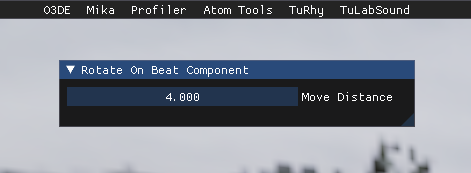
Once the Editor or GameLauncher is up and running, make sure you're in a level with that component actively running and press the HOME key on your keyboard. You should see your components window show up, if it doesn't then something went wrong.
Breaking it down
ImGui runs every frame to figure out what to draw. Any data you want to keep between frames needs to live outside OnImGuiUpdate.
OnImGuiUpdate is a broadcasted event that we need to use to ensure we issue ImGui functions at the correct time.
ImGui::Begin("title") tells ImGui to start a new window panel, it returns a boolean that's false when the window is collapsed or not visible. You can skip drawing your controls when it's false, but you must always call ImGui::End() regardless. You want to skip your controls if your panel starts getting heavy, but if it's basic then it's not awful to always issue your controls.
ImGui::DragFloat(name, float ptr, speed, min, max) This is a basic control that lets you drag left and right to change the value, the speed is how much it will ± when the mouse moves.
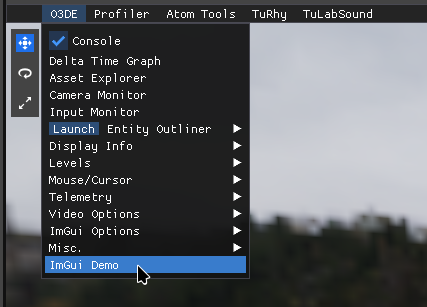
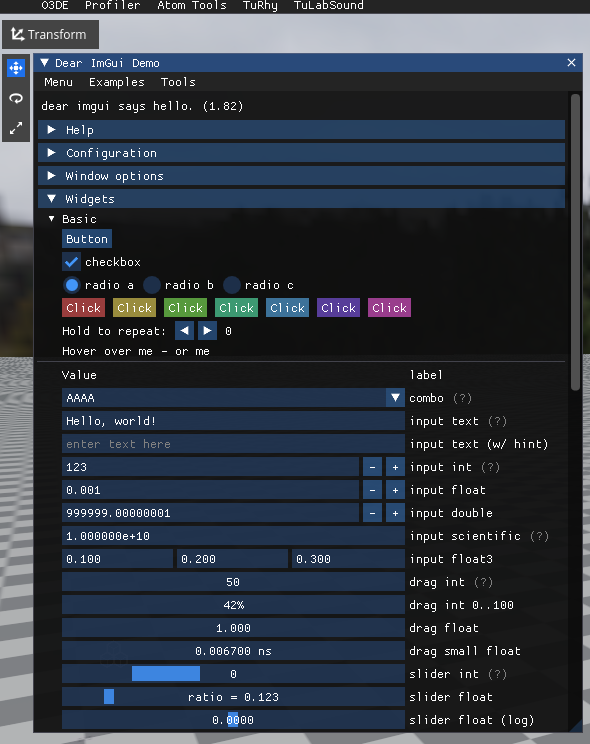
A great way to know about all the controls in ImGui is the demo window, you can find this in O3DE by opening your ImGui menu and navigating to O3DE -> ImGui Demo.
You can see every control and how they work and if you want to see the code look here.
Extras
void RotateOnBeatComponent::OnImGuiUpdate()
{
    if(ImGui::Begin("Rotate On Beat Component"))
    {
        ImGui::DragFloat("Move Distance", &m_moveDistance, 0.1f, 0.0f, 100.0f);
        ImGui::SameLine();
        if(ImGui::Button("Click Me!"))
        {
            //Do something about the click
        }
    }
    ImGui::End();
}
ImGui::SameLine() Makes the following element exist on the same line as the last element.
ImGui::Button(text) Returns if the button was clicked or not.
Working with EBus
Now that you understand the basics, let's look at how to interact with O3DE systems through ImGui.
Here's a basic function to modify an entity's position via ImGui:
static void ImGuiEntityLoc(AZ::EntityId entityId)
{
    AZ::Vector3 position;
    AZ::TransformBus::EventResult(position, entityId, &AZ::TransformBus::Events::GetWorldTranslation);

    float x = position.GetX();
    float y = position.GetY();
    float z = position.GetZ();

    bool modified = false;

    if (ImGui::DragFloat("X", &x, 0.1f, -100.0f, 100.0f))
    {
        position.SetX(x);
        modified = true;
    }
    if (ImGui::DragFloat("Y", &y, 0.1f, -100.0f, 100.0f))
    {
        position.SetY(y);
        modified = true;
    }
    if (ImGui::DragFloat("Z", &z, 0.1f, -100.0f, 100.0f))
    {
        position.SetZ(z);
        modified = true;
    }

    if (modified)
    {
        AZ::TransformBus::Event(entityId, &AZ::TransformBus::Events::SetWorldTranslation, position);
    }
}
We don't want to spam the TransformBus with SetWorldTranslation events so we only do it when we know the value has been modified.